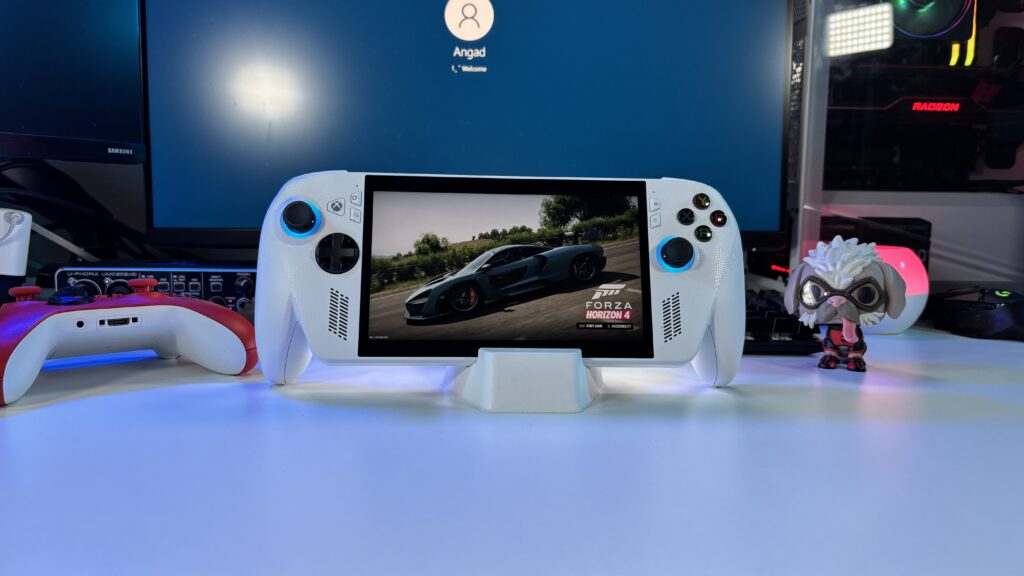
ROG Ally worth in 2026? Full Reivew

The ASUS ROG Xbox Ally (non-X model) is a Windows 11 handheld wrapped in a console-style Xbox theme, giving you full PC flexibility if you can tolerate Windows.
Setup, Preinstalled Software & Windows Experience
First-time setup takes patience. Make a note that updating Windows, drivers, Armoury Crate, and game launchers out of the box can take one to four hours before you play your first game. New buyers should plan ahead for this initial hurdle.
Out of the box, the device boots into a full-screen Xbox interface layered on top of Windows 11 Home, meaning you can switch to the standard Windows desktop anytime and use it like a regular computer. However, it also comes loaded with preinstalled software: alongside essential ASUS utilities like Armoury Crate SE and MyASUS, you get standard Windows 11 bloatware, background services, and shortcut stubs (like Microsoft Office/365, OneDrive, etc.)

-
The Windows Advantage: Everything is compatible, including Steam, Xbox Game Pass, Epic Games Store, and Battle.net. (Though SteamOS and the Steam Frame are closing that gap quickly as more games get optimized for them daily.)
-
The Windows Drawback: Random updates and OS bugs can interrupt play. For example, during Forza, accidentally minimizing the window or getting a Windows pop-up for something as random as one drive, even a simple low-battery alert, can mess the control scheme and break inputs, forcing a full game restart.

Design & RGB Lighting
Visually, ASUS kept the RGB lighting focused on the front: you get customizable Aura Sync RGB rings surrounding both thumbsticks, which add a nice gamer aesthetic and make it easy to see the sticks in the dark without draining much battery. Unlike some larger gaming laptops or desktops, there is no RGB lighting on the back of the chassis—keeping the rear clean and avoiding wasted power on lights you wouldn’t see while holding it anyway.
Cooling, Fans & Noise Levels
Under the hood, the handheld uses a dual-fan Zero Gravity cooling setup that pulls cool air in from the back vents and pushes hot air straight up out of the top vents.
-
Heat & Hot Air: Because the exhaust vents sit along the top edge, you will feel a noticeable stream of warm-to-hot air blowing upward when pushing heavy games—especially near the top ports—though the side grips themselves stay cool and comfortable in your hands. Just avoid resting the back flat against a blanket or pillow so you don’t block the air intake.
-
Fan Noise: In Silent or Performance modes during lighter play, the fans stay remarkably quiet. Even under heavier 15W–20W gaming loads, fan noise settles into a manageable, non-intrusive hum—noticeably quieter than a gaming laptop, though you will hear the fans spin up if you push Turbo mode or wake the device from sleep.
Display
The 7-inch Full HD (1920 x 1080) IPS touchscreen is one of the highlights of the device. Even though it isn’t an OLED panel, colors look punchy with 100% sRGB coverage, and the 120Hz refresh rate paired with AMD FreeSync Premium keeps motion smooth and tear-free—even when frame rates dip in heavier games. At 500 nits of brightness with an anti-glare coating, it stays legible in bright rooms or near an airplane window, and the Gorilla Glass Victus protection holds up well to daily travel.
That said, because you’re constantly tapping the screen to navigate Windows menus and launchers, the glass is very fingerprint-prone—expect to keep a microfiber cloth handy or slap on a matte screen protector if smudges bother you.

Comfort, Travel & Multiplayer
Ergonomically, Xbox users will feel right at home immediately thanks to the familiar asymmetrical stick and button layout. Weighing 670 g (1.48 lbs), it has a solid, decent weight to it without feeling too heavy or tiring to hold during longer sessions. If you have access to a power outlet or battery bank, it is easily one of the best travel companions you can bring on a long flight.
One thing to keep in mind for local multiplayer: unlike the Nintendo Switch, the controllers on the sides are permanently attached and do not slide off. If you plan on doing couch co-op, you will need to bring or buy external wireless or USB controllers.


Key Specs
From ASUS’s official spec sheet, the hardware includes:
-
Processor: AMD Ryzen Z2 A (4 cores, 8 threads, up to 3.8 GHz) with AMD Radeon Graphics
-
Display: 7-inch Full HD (1920 x 1080) IPS touchscreen, 120Hz refresh rate, 500 nits brightness, and AMD FreeSync Premium
-
Memory & Storage: 16GB LPDDR5 RAM (6400MT/s) and a 512GB PCIe 4.0 NVMe M.2 SSD
-
Connectivity & Weight: Wi-Fi 6E, Bluetooth 5.4, and a 670g (1.48 lbs) chassis
| Specification | Details |
| Operating System | Windows 11 Home |
| Processor | AMD Ryzen™ Z2 A (2.8GHz up to 3.8 GHz, 4 cores, 8 threads) |
| Graphics | AMD Radeon™ Graphics |
| Display | 7-inch FHD (1920 x 1080) IPS-level touchscreen, 120Hz, 500 nits, AMD FreeSync™ Premium |
| Memory | 16GB LPDDR5 (6400MT/s dual channel) |
| Storage | 512GB PCIe® 4.0 NVMe™ M.2 SSD (2280) |
| Control & Input | A B X Y buttons, Transforming D-pad, TMR Joysticks, L & R bumpers, L & R Hall Effect analog triggers, View & Menu buttons, Command Center & Armoury Crate buttons, 2x assignable grip buttons, HD haptics, 6-Axis IMU gyro |
| Ports | 2x USB 3.2 Gen 2 Type-C (DisplayPort / Power Delivery), 1x UHS-II microSD card reader, 1x 3.5mm Combo Audio Jack |
| Connectivity | Wi-Fi 6E + Bluetooth® 5.4 |
| Battery | 60Wh (4-cell Li-ion) |
| Weight | 670 g (1.48 lbs) |
Real-World Performance & Benchmarks
The non-X model targets playable frame rates rather than ultra settings. In independent 1080p testing (via Boiling Steam), the Ryzen Z2 A chip hits:
-
The Witcher 3 (High, 15W Performance / 20W Turbo): ~40–44 FPS
-
Atomic Heart (Medium, 15W–20W): ~35 FPS
-
Kena: Bridge of Spirits (Medium, 15W–20W): ~23–25 FPS
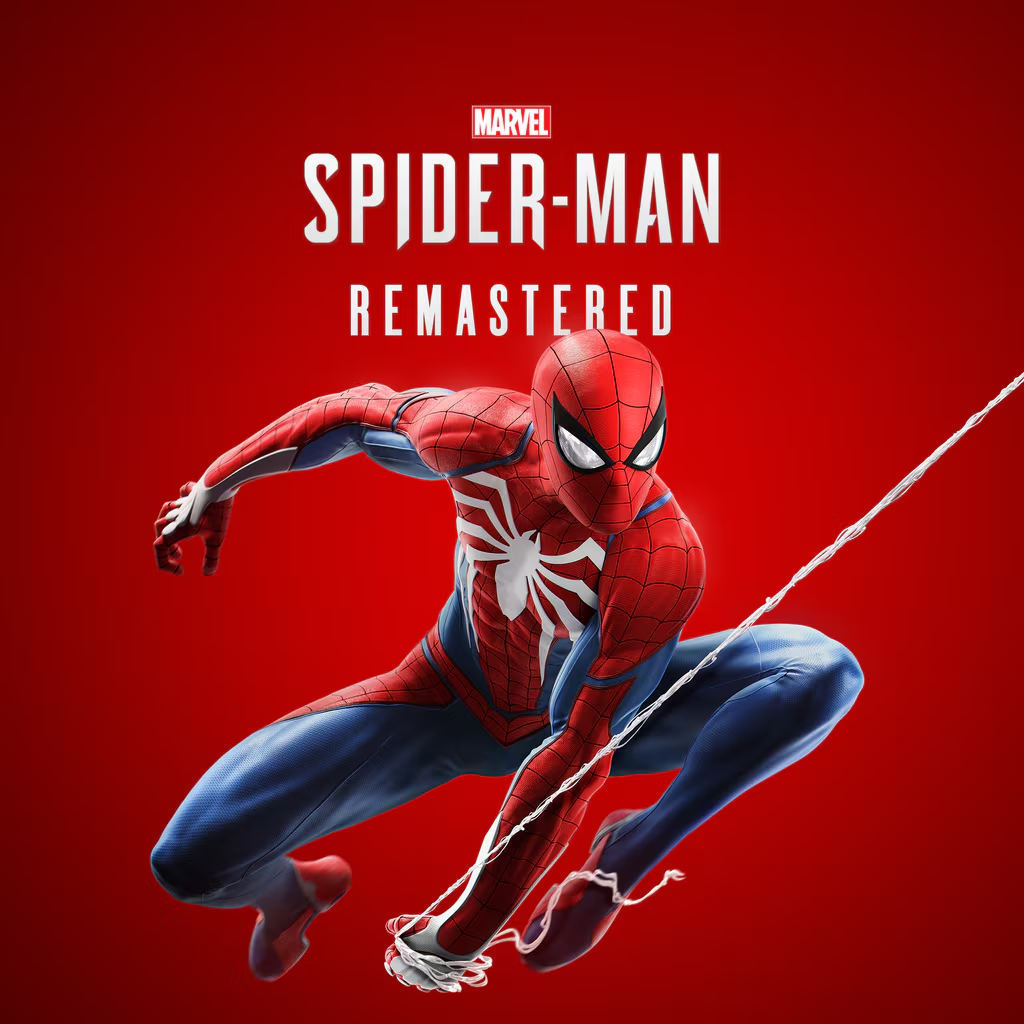
In hands-on play with Marvel’s Spider-Man, lowering the resolution and quality settings with FSR enabled gets you around 40 to 45 FPS. It won’t look as sharp as playing on a PS4 or PS5, but it’s completely playable if you want to swing through the city on the go.

Battery Life
The 60Wh battery delivers very different runtimes depending on what you play:
-
Demanding AAA Games: Expect around 1 hour to 1 hour 30 minutes in titles like Forza.
-
Lighter Indie Games: Dialing back the power profile stretches playtime significantly longer for 2D or less demanding games.
Verdict
Overall, the non-X ASUS ROG Xbox Ally is a great device—especially if you want comfortable ergonomics, indie gaming, Game Pass, and playable 30–45 FPS AAA sessions without paying Ally X prices (so long as you can live with Windows quirks). More importantly, everyone should be excited about the growing competition in the handheld space: until just a few years ago, you couldn’t even imagine playing full-fledged AAA console and PC games on a portable device like this.