ASUS ProArt P16 Review (RTX 4070 & Ryzen AI 9 HX 370): Still Worth Buying in 2026?

The ASUS ProArt P16 (H7606WI) is a sleek, creator-focused Windows 11 workstation, ehile the NVIDIA RTX 4070 inside is now a last-gen GPU, this configuration (paired with the AMD Ryzen AI 9 HX 370 and 64GB of RAM) frequently shows up on sale or on the second-hand market, making it worth a closer look if you want serious creative horsepower without paying flagship new-release prices.

Setup & First-Time Experience
Just like setting up any Windows portable device handheld or laptop, getting the ProArt P16 ready out of the box takes patience. When you first boot it up, Windows 11 runs through a process of downloads, OS updates, AMD and NVIDIA drivers, and ASUS creator utilities. Technically, you can skip parts of the initial setup to get to the desktop faster, though I let everything install properly upfront so the system and Studio drivers were completely up to date before pushing it.
Key Specs
Here is a breakdown of the core hardware inside this ASUS ProArt P16 (H7606WI) configuration:
| Specification | Details |
| Operating System | Windows 11 Home / Pro |
| Processor | AMD Ryzen™ AI 9 HX 370 (12 cores, 24 threads) |
| Graphics | NVIDIA® GeForce RTX™ 4070 Laptop GPU (8GB GDDR6, up to 100W) + AMD Radeon™ 890M |
| Display | 16-inch 4K+ (3840 x 2400) 16:10 OLED touchscreen, 60Hz, 0.2ms, 100% DCI-P3 |
| Memory | 64GB LPDDR5x-7500 (soldered, dual-channel) |
| Storage | 2TB PCIe® 4.0 NVMe™ SSD (2x M.2 2280 slots) |
| Ports | 1x USB 4.0 Type-C, 1x USB 3.2 Gen 2 Type-C, 2x USB 3.2 Gen 2 Type-A, 1x HDMI 2.1 FRL, 1x SD Express 7.0 card reader, 1x 3.5mm audio jack |
| Connectivity | Wi-Fi 7 (2×2) + Bluetooth® 5.4 |
| Battery | 90Wh (200W proprietary power adapter + up to 100W USB-C charging) |
| Dimensions & Weight | 354 x 246 x 14.9–17.3 mm (0.59″–0.68″ thin) / 1.85 kg (4.1 lbs) |
Ergonomics, Design & Weight
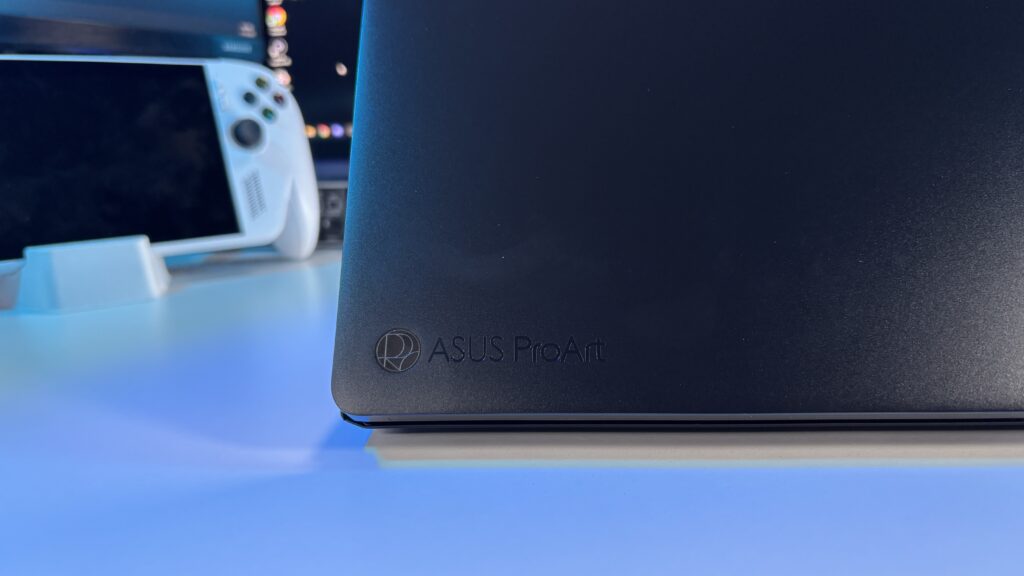
Build quality is easily one of the ProArt P16’s strongest selling points. Wrapped in an all-black CNC metal chassis (Nano Black), it ditches the lid lightbar and RGB gamer accents of the Zephyrus G16 for a stealthy, professional look. Weighing 1.85 kg (4.1 lbs) and measuring just 14.9 to 17.3 mm thin, it feels remarkably light and portable for a 16-inch workstation, easy to slip into a backpack alongside its charger without weighing you down.
Paired with a near edge-to-edge display and sturdy hinges, the laptop feels well-balanced on a desk or in your lap. . You also get a great port selection for creators, including a full-size SD Express 7.0 card reader and HDMI 2.1, plus an IR webcam with Windows Hello face unlock.


Display
The 16-inch 4K+ (3840 x 2400) Lumina OLED touchscreen is built specifically for color-critical creative work. Out of the box, it comes pre-calibrated with 100% sRGB, 97.2% Adobe RGB, and 99.6% DCI-P3 color coverage, delivering deep, ink-black contrast and crisp 16:10 vertical workspace for video timelines and photo editing.
There are two trade-offs to keep in mind:
-
Brightness & Glare: Sustained brightness sits just under 400 nits in SDR, and because it has a glossy glass touch layer, reflections can be noticeable outdoors or next to bright windows.
-
60Hz Refresh Rate: While OLED pixel response times are practically instant (0.2ms), the panel is capped at 60Hz without G-Sync—fine for video editing, though less fluid for fast-paced shooters.
Keyboard & Trackpad Features
Typing on the ProArt P16 is a great experience. The keyboard offers 1.7 mm of key travel with crisp, quiet tactile feedback and clean white backlighting (no RGB) that wakes up automatically as soon as you swipe across the trackpad. Just expect the smooth black keycaps to show finger oils after a few days of heavy typing.

Below the keyboard sits a massive glass touchpad that tracks gestures smoothly and clicks quietly without rattling. Its signature creator feature is the ASUS DialPad built into the top-left corner, a virtual rotary dial that lets you scrub video timelines in Premiere Pro or adjust brush sizes in Photoshop with a circular swipe. .
Productivity & Gaming Benchmarks
Even though the RTX 4070 is a last-generation GPU, pairing it with the 12-core AMD Ryzen AI 9 HX 370 and 64GB of fast LPDDR5x RAM still delivers serious speed for editing, 3D rendering, and multitasking.
-
Cinebench 2026 (CPU): 5089 (Multi-Thread) / 651 (Single-Core)/ 476 (Single-Thread)
-
Geekbench 7 (CPU): 17067 (Multi-Core) / 2,389 (Single-Core)
- GeekBench 7 (GPU): 173,284 (Cuda) / 121,074 (Open CL)
-
Puget Adobe After Effects -4184
- Puget AdobePremiere – 57620
Note: All the test were made with Performance mode selected. During Cinebench While it was on the table flat we noticed the CPU speed drop to 3.24GHz just slightly lifting it improved a air-flow and took it back to 3.8GHz where it stayed.
While ASUS tunes the ProArt P16 with NVIDIA Studio drivers and a 100W GPU power cap rather than marketing it as a pure gaming rig, the RTX 4070 still holds up well when you want to unwind after work.
GTA 5 Enanched
- 4K Max RTX ON: 27 – 31fps
- 4K High RTX OFF: 70-80FPS
- 4K High RTX ON 3/4 Reslulution: 100-120 FPS
While GPU had headroom for a bit more performance, it was Limited by the 8GB VRAM at max settings. The GPU Temps were stable at 70c with fans spinning to the Max.
If you drop the Resolution to 1440P or even 1080P and connect it to a 120+Hz Gaming Monitor and you have a gaming computer.
Conclusion: Should You Buy It Today?
If you are shopping for a brand-new laptop at full retail price, newer RTX 50-series models have obviously taken the spotlight. However, if you spot this RTX 4070 / Ryzen AI 9 HX 370 / 64GB RAM configuration of the ASUS ProArt P16 on sale or in good condition on the second-hand market, it remains an easy recommendation.
You get a thin, lightweight all-metal chassis, a color-accurate 4K OLED touchscreen, massive memory headroom for 4K video editing and AI workflows, and enough GPU power to comfortably handle modern games on the side—making it one of the best value-for-money creator laptops you can pick up at a discount.